
Stopfinder App
Access your student’s transportation schedule and receive timely updates all in one convenient location.
GO Riteway Parent App - Stopfinder
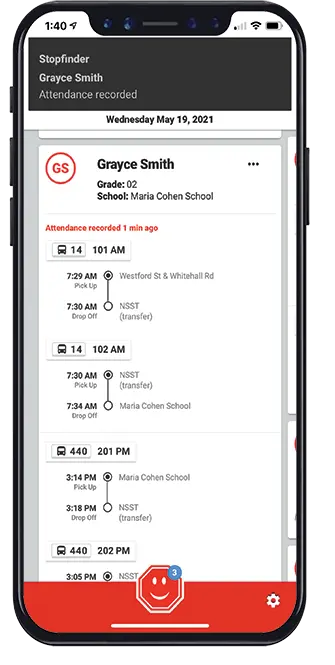
Stopfinder is the all-in-one, easy to use app that allows families to view and share
student transportation schedules. Stopfinder allows parents, guardians, and caretakers to view student transportation schedules and receive announcements from the local GO Riteway Terminal.

What the App Can Do
- View your student’s daily transportation assignments – including transfer trips and stops
- Securely share your student’s schedule with caregivers
- Receive notifications and updates related to transportation
- Send real-time vehicle location notifications based on GeoAlert regions you create for your student
Frequently Asked Questions:
Families of eligible students will receive a Stopfinder invitation via email from no-reply@stopfinder.com. The invitation will include steps to download the app and register their account. Be sure to check SPAM and JUNK folders for this email.
No. Stopfinder is free to download from the App Store and Google Play.
The Stopfinder app is available in the App Store and Google Play.
No, the Stopfinder app is only available as an app that can be used on a tablet or smartphone.
Contact your local GO Riteway office.
Stopfinder displays student schedules for school days only. It defaults to today’s date. Swipe to future dates to view your student’s schedule. “No Schedule” will appear on non-school days.
First, confirm that you are looking at school day. Schedules will not show on weekends or days school is not in session. If you have confirmed you are looking at weekday and still do not see your students schedule, please contact your local GO Riteway Office with your students name, school of attendance, and grade.